Full View
Similar items
Machenike Gamepad Wireless Gaming Controller G5 Pro Elite Hall Trigger Joystick Mecha-Tactile Buttons For Switch PC
RON64.35
RON70.76 -9% OFF

Classic Handheld Tetris Game Console - 5.5" Large Screen Retro Puzzle Gaming Device For Kids & Adults (Multiple Colors)
RON34.83
RON42.09 -17% OFF
Cross-Border Hot Item FOR Switch Pro Bluetooth Game Wireless Controller Dropshipping
RON47.79
RON63.34 -24% OFF
Switch Bluetooth Controller PS3 PC PC360 Android 5-in-1 Wireless Bluetooth Controller
RON48.62
RON69.31 -29% OFF
GAMINJA P48 Wireless Gamepad With Six Axis Gyroscope Game Controller For PS4 PS3 Console Wins 7 8 10 Dual Vibration PC
RON34.88
RON57.10 -38% OFF
8BitDo Ultimate 2C Wireless Controller Gamepad With Hall Joystick For PC Windows 10/11 Steam Deck Raspberry Pi Android
RON63.18
RON81.90 -22% OFF
Kids Summer Cooling With USB Rechargeable Fan - Wide Brim Sun Hat For Outdoor Trave
RON47.67
RON61.04 -21% OFF
Source Factory 2.4G Black And White Dual P2 Wireless One-to-Two Emulator Game Box Controller
RON44.46
RON55.72 -20% OFF
Switch Bluetooth controller PS3 PC PC360 Android 5-in-1 wireless Bluetooth controller
RON56.18
RON59.35 -5% OFF
Wireless Gamepad, Controller, For Switch, App Control Wireless, Dual Motor Vibration
RON61.99
RON88.80 -30% OFF
Private mold adhesive wireless Bluetooth with vibration 6-axis tactile switch Pro game controller
RON294.27RON369.13
Product Color : Blue and red - with packaging


Quantity :

Report
Include copyright infringementFree Standard Shipping. See details
Estimated between Thu, Aug 6 and Wed, Aug 12
You can return the product within 30 days of receipt. See details
Shop with confidence

Money Back Guarantee
Get the item you ordered or your money back. Learn more
About this item
Sourced from TTnumeral
Seller assumes all responsibility for this listing.Item number: 22319220
Item specifics
Connection
Bluetooth
Compatible Brand
Atari, Playstation 5, Sega
Item description from the seller
1. Introduction to the controller
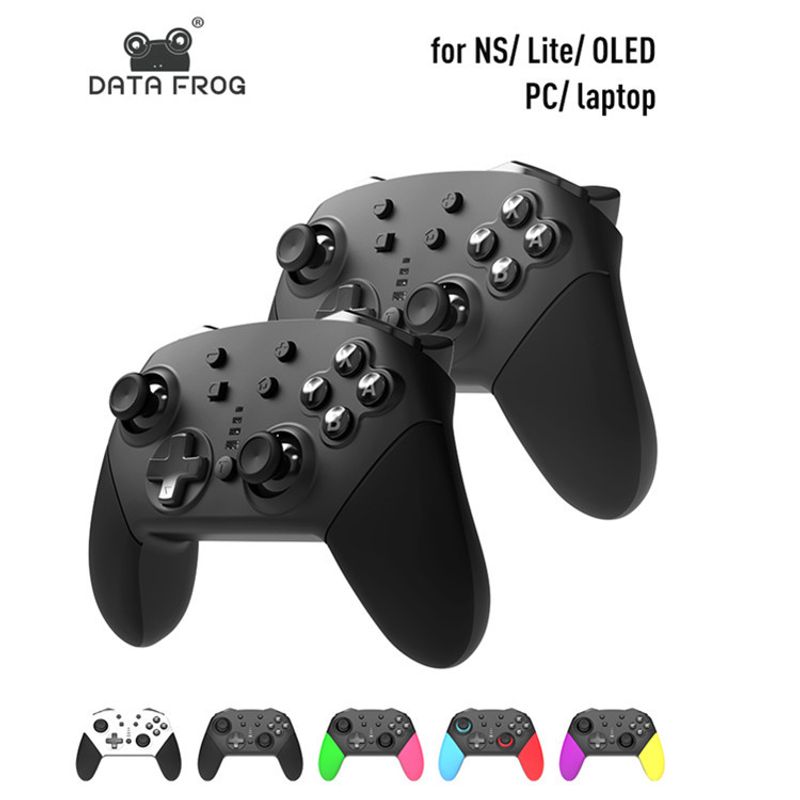
1) This product is a new wireless gaming controller with new features, suitable for devices such as Switch/Switch lite/Switch OLED/PC/laptop, as well as Windows PC 360 mode.
2) No driver needs to be loaded, the handle can be paired and connected to the host before use.
3) Using Bluetooth V3.0 wireless communication to connect to the host, it has strong anti-interference ability, easy operation, and stable connection signal.
4) Equipped with a built-in 1200mAh polymer lithium battery, it can last for about 15 hours after being fully charged, with a charging time of 5-6 hours.
5) The ergonomic design and lightweight handle construction make the player feel comfortable, even if playing the game for a long time without feeling tired.
6) This handle has gyroscopic axis function and dual motor dual vibration function.
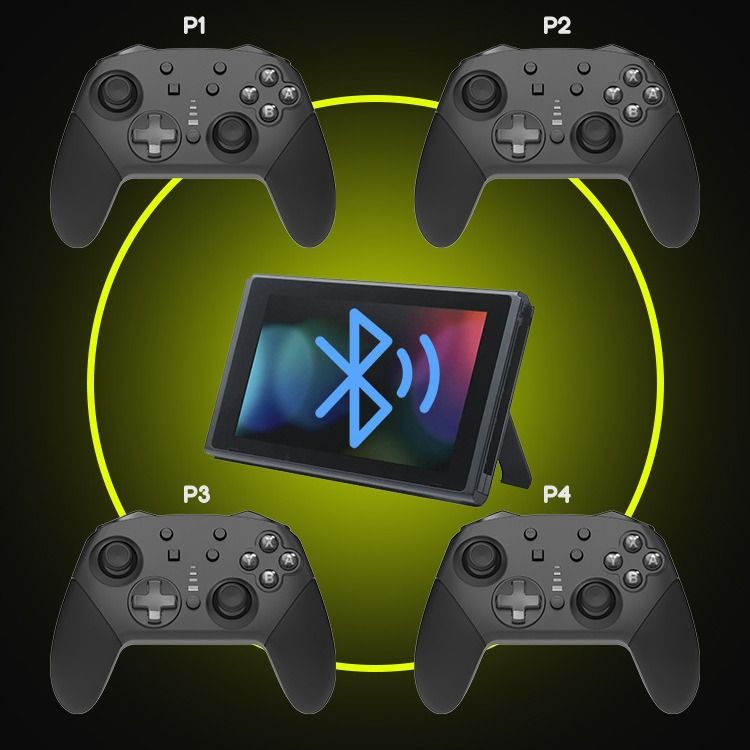
7) Up to 4 wireless controllers can be connected to the host simultaneously.
8) You can also play games normally while the controller is charging.
9) This controller can be upgraded using updated software by connecting to a computer.
2. Introduction to buttons and functions
3. Connection instructions
1) Connect the Switch host:
A. First time connecting the controller to the host: Turn on the Switch host, in the host menu interface, touch and click "Controllers" ->"Change Grip/order" to enter the host pairing mode interface "Press L+R on the controller", ignore "L+R"; On the controller, press and hold the "HOME" button for 5 seconds to turn on the controller and enter pairing mode. The four LEDs surrounding the "HOME" button start flashing rapidly. When one LED remains on, the controller successfully pairs with the host, and then press the "A" button to operate.
Note: A. When connecting the controller to the host for the first time, you must click on the host's main interface with your finger.
B. When reconnecting the controller to the host: Press and hold the "HOME" button for 2 seconds to turn on the controller. The controller will automatically connect to the host, and then press the "A" button to operate.
C. Wake up controller: When the controller is in sleep mode, short press the HOME button to wake up the controller. The controller will automatically reconnect with the host, and then press the "A" button to operate.
2) Connect to a Windows computer:
You need to first download the PC 360 driver to a Windows computer, and then connect the controller to the computer using the USB cable provided with the controller. After the driver is installed, the LED of the HOME key on the controller will remain on, and the controller can be used. PC 360 mode game.
4. LED indicator instructions
1) The four LEDs quickly cycle and flash, indicating that the handle is in a paired or reconnected state;
2) In the connected state, the LED flashes rapidly, indicating that the controller is in a low power state;
3) A single LED that remains on indicates that the connection between the controller and the host is normal;
4) Low voltage indication: When the voltage of the handle battery is below 3.6V, a low voltage alarm will sound and the indicator light will flash quickly; When the voltage is below 3.4V, the handle automatically shuts down and cannot be turned on;
5) Charging indicator: Connect the USB cable to charge the controller, and the indicator light will flash slowly; After being fully charged, the indicator light goes out.
five
Handle parameter table
Project reference value
Working voltage DC 3.7-4.2V
Working current 20-30mA
Sleep current 30-100uA
Vibration current 80-130mA
USB input voltage/current DC 5.0V/mA
Usage distance range ≤ 8M
Battery voltage/capacity 3.7V/1200mAh
After being fully charged, the battery will last for about 8 hours of continuous use
Charging time 2-3 hours
Standby time of about 25 days
Net weight of handle 202g (222g including charging cable)
Weight with packaging: 235g
Handle size 150mm * 103mm * 60mm
Packaging list: 1 handle, 1 charging cable, 1 instruction manual
Note: The above parameters are for reference only and shall be subject to the actual use of the product.
How long do you usually take to ship?
Usually, the shipment will be made one or two days after payment. If it is a large order or if there is work in progress, it may be delayed by about two days. If you are in a hurry, please communicate with us in advance about the delivery time before placing the order. To reduce workload, we usually enter the order number into the transaction information when making the order. If you do not find any tracking records on the same day, it will be the next day before the shipment can be made. We entered the tracking number during the production process. We apologize for any inconvenience caused. We will not ship on Saturdays and Sundays. We apologize for any inconvenience caused


Videos
Videos for this product