
Laptop Cooling Pads
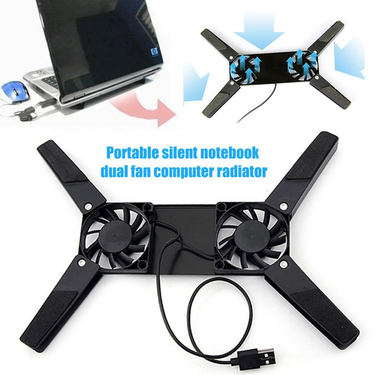
Farfi High Performance Anti-scratch ABS Universal Foldable Computer Cooler for Laptop

RTX3080 Video Card Heatsink For GIGABYTE GeForce 3080 RTX 3090 GAMING OC Graphics Cards Radiator Fan

New Laptop CPU And GPU Cooling Fan For HP Pavilion Gaming 7 Victus 16-D 16-E TPN-Q263 TPN-Q264 M75725-001 M75727-001 80W

TH9215B2H-PFC01 RTX3080 RTX3090 Replace Video Card For Palit RTX 3080 3070 3090 Ti 3070Ti GameRock Cooling Graphics Fan

Original New CPU Fan For ASUS DFS5K12114262H DFS5K12304363H

Llano V21 14cm Dual Fans 14"-17.3" Lighting Adjustable Foldable Laptop Cooler Pad LED Light Fan

New Original For Laptop Lenovo ThinkPad Carbon 7th Gen X1C 8th X1 Yoga 4th 5th CPU Cooling Fan Heatsink 01YU036/7

New Original For Laptop Lenovo ThinkPad 260 Yoga 370 X380 Yoga S1 Cooling Fan CPU Heatsink Radiator 01HW757 00HN995

New Original Thermal CPU Cooling Fan Cooler Heatsink For Lenovo ThinkPad X1 Extreme 1st P1 Gen 1 Laptop 01YU923 01AY981

New Original CPU Cooling Fan Heatsink Cooler Radiator For Lenovo ThinkPad X1 Extreme P1 Gen 2 Laptop FRU 02XR044

New Original For Laptop Lenovo ThinkPad L14 Gen1/Gen2 CPU Cooling Fan Heatsink Radiator UMA FRU PN:5H40S72942/3

New Original For Laptop Lenovo ThinkPad T490s T495s T14s Gen 1 CPU Cooling Fan Heatsink Radiator Cooler

New Original CPU Cooling Fan Cooler Heatsink For Lenovo ThinkPad Carbon 9th X1 Yoga 6th Gen 2021 Laptop 5H40W36671

Laptop Cooling Fan For MSI GS63VR GS63 GS73 GS73VR MS-17B1 Stealth Pro CPU BS5005HS-U2F1 GPU BS5005HS-U2L1 Cooler

New For XFX Radeon RX580 588 590 598 GTS BLACK EDITION OC Graphics Card Replacement Fan Panel With Fan
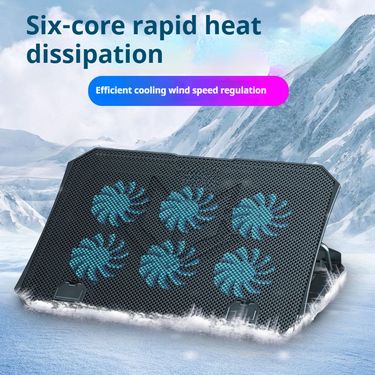
Cooler Silent Stand For 14-15.6 Inch Laptop Cooling Pad With Fan

Gaming Cooler Large Size For 12-16 Inch Notebook Two USB Cooling Pads Wind Speed Adjustable Silent Laptop Stand

New Cooler Cooling For Delta FFB0924EHE 24V 0.75A 9038 9238 9CM ABB Server Inverter Axial Fan

New CPU GPU Cooling For Dell G3 G3-3579 G3-3779 Series Cooler Fan 0TJHF2 TJHF2 0GWMFV GWMFV

TISHRIC Vacuum Radiator USB Air Extracting Cooling Fan Notebook Cooler Support Laptop Accessories
Laptop Cooling Solutions for Smoother Performance
While your laptop humming like a jet engine, keys feeling hot to the touch, you need to find some cooling solutions. Overheating throttles performance, shortens component life, and turns simple tasks into frustrating waits. Voghion offers laptop cooling pads and stands for quieter and faster using.
Why overheating happens: gaming, rendering, and multitasking explained
Modern laptops pack immense power into thin bodies—but physics hasn’t changed.Intense gaming sessions, video rendering, or 20+ browser tabs push processors hard, generating heat faster than slim vents can expel it. If you need buy new budget gaming laptops, Voghion is a good choice.
Internal fans struggle with thick carpets, blankets, or wooden desks trapping heat underneath. That’s where a gaming laptop cooling pad shines. Its elevated design creates airflow under your machine, working with internal fans instead of against them.
Cooling pad benefits beyond temperature: quieter fans, longer battery life
When temperatures drop, internal fans slow down dramatically. That means less distracting noise during calls or movies.
Better thermals also reduce battery stress. Lithium-ion batteries degrade faster above 30°C (86°F)—a cooler laptop could add months to its lifespan. The gentle hum of a laptop cooling fan is far less intrusive than your machine’s fans at full throttle. You can use laptop cleaners to clean the dust hiding in your laptop.
Ergonomic bonus: how tilt angles reduce wrist strain during long sessions
Typing on a flat laptop forces wrists into awkward angles, causing fatigue. A tilted laptop stand with cooling fan elevates your screen to eye level. This neutral position reduces neck hunching while the angle keeps wrists straight. Just 15 degrees makes emails, coding, or design work noticeably more comfortable over hours.
If you spend long hours sitting in front of a computer, a durable neck massager and a portable massage gun would be the perfect Valentine's Day gift for yourself.
Don’t forget maintenance.
Every few months, gently clean dust from your cooling pad for laptop vents using compressed air. While you’re at it, blow out your laptop’s own vents—less dust means both systems work more efficiently together.
A smart cooling solution pays off daily:
· Fewer performance stutters during important tasks
· Longer hardware lifespan
· More comfortable work sessions
 4.4 out of 5 based on 9,249 reviews