Full View
Similar items
Rechargeable Silent Wireless Mouse With Bluetooth & 2.4G Dual Mode, 1600DPI Adjustable, Ergonomic Design For Laptop/PC (Multiple Colors)
RON23.99
RON28.44 -15% OFF

INFEC Yuanchuang Cyber Wireless Mouse Bluetooth Mute Dual Mode Office Game Macro E-sports Notebook Desktop
RON80.87
RON103.09 -21% OFF
VGN Dragonfly F2 Master Edition Supercar Red Wireless Three-mode Long Battery Life E-sports Game Mouse Wired Notebook
RON127.97
RON183.37 -30% OFF
Silent Bluetooth Mouse With Type-C Charging, Wireless Rechargeable Mouse For Laptop/PC/iPad, Battery Indicator, Ergonomic Design
RON18.98
RON28.77 -34% OFF
2.4GHz Wireless Mouse Optical Mice Mouse Gaming With USB Receiver Gamer 6 Buttons Mouse For Computer Laptop Accessories
RON28.05
RON38.80 -27% OFF
[Ali Self-operated] ATK Likong, Soul Ghost Composite Carbon Fiber Hollow Wireless Mouse, Small And Medium Hand Game
RON149.48
RON214.99 -30% OFF
Magnetic Power Zgm03pro Wireless Bluetooth Wired Three-mode E-sports Game Mouse Eating Chicken FPS Driver Support
RON87.86
RON109.38 -19% OFF
VGN Feilong Y2 Master Edition Wireless Bluetooth Mouse PAW3950 Lightweight Fearless Contract Game E-sports Special
RON89.08
RON141.54 -37% OFF
Attack Shark/Attack Shark R11 Ultra Triple Mode Wireless Computer Gaming Mouse Carbon Fiber
RON146.13
RON186.31 -21% OFF
MCHOSE Maicong G7 Wireless Three-mode Mouse E-sports Gaming Computer Bluetooth Office Lightweight Right-hand Mouse
RON92.59
RON140.19 -33% OFF
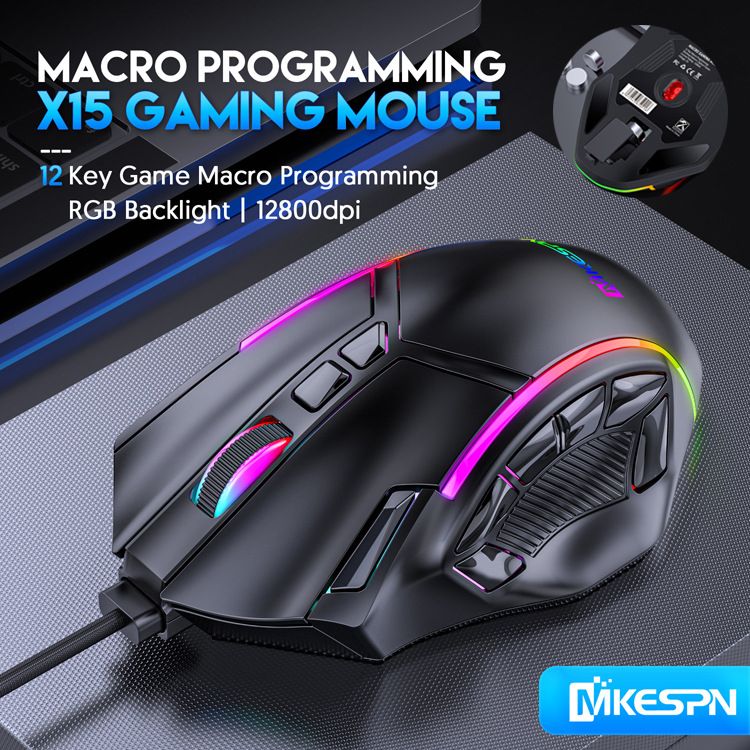
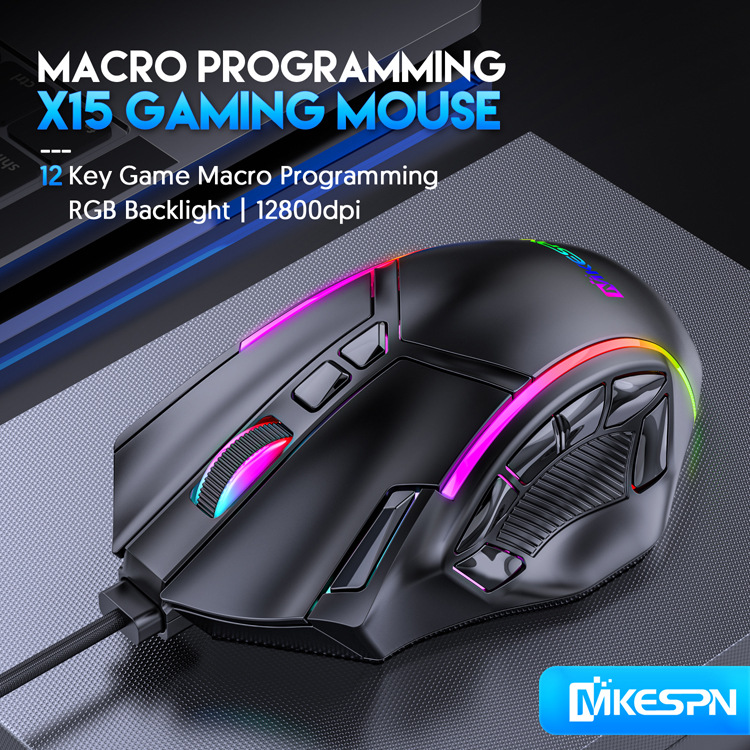
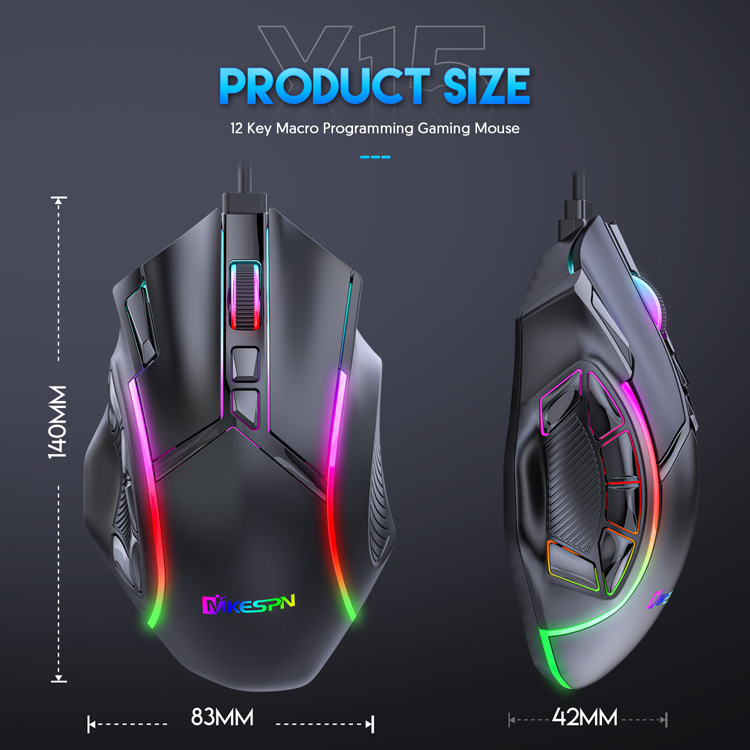
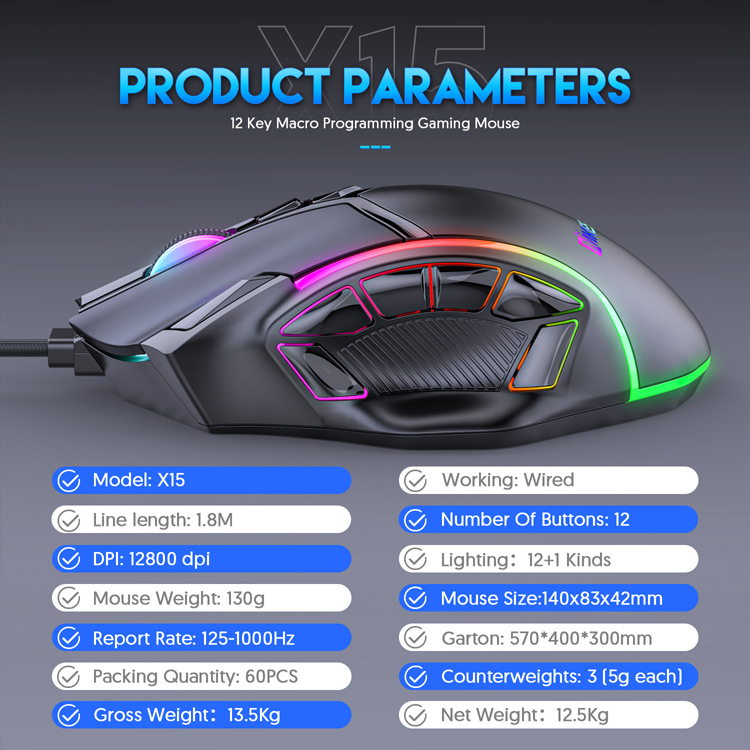
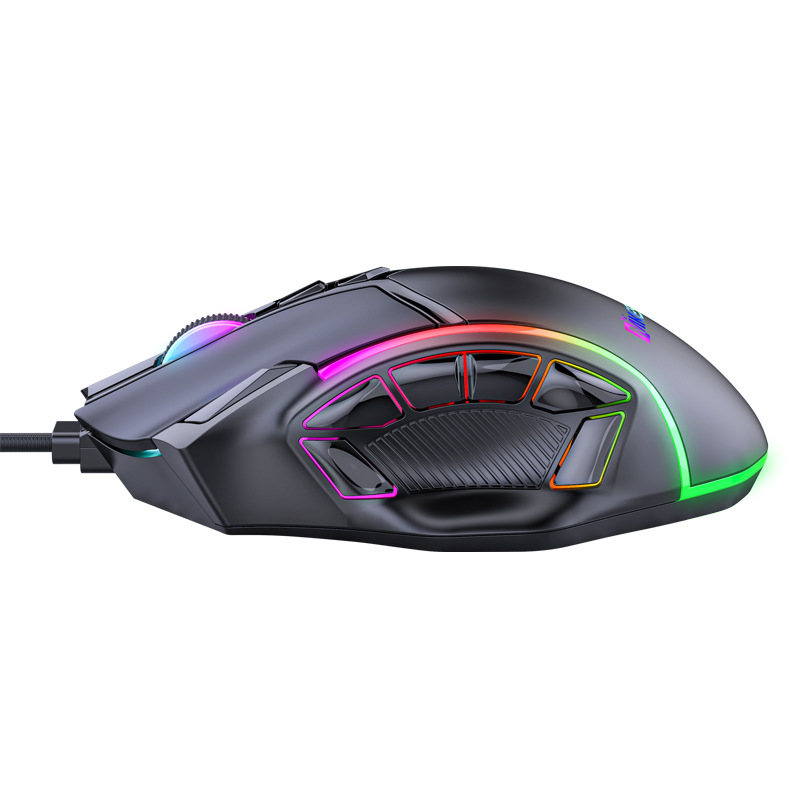
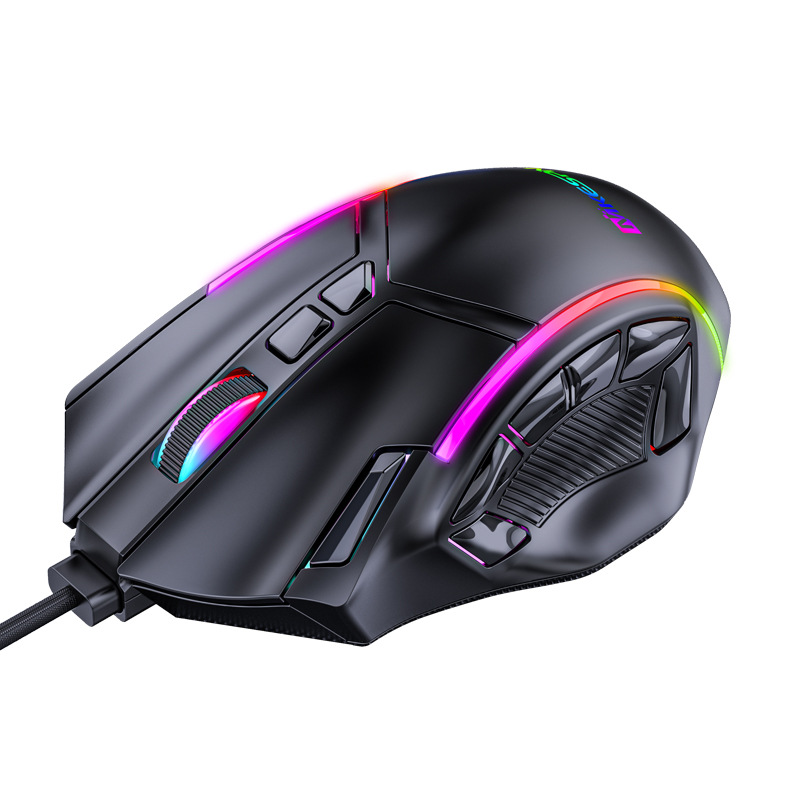
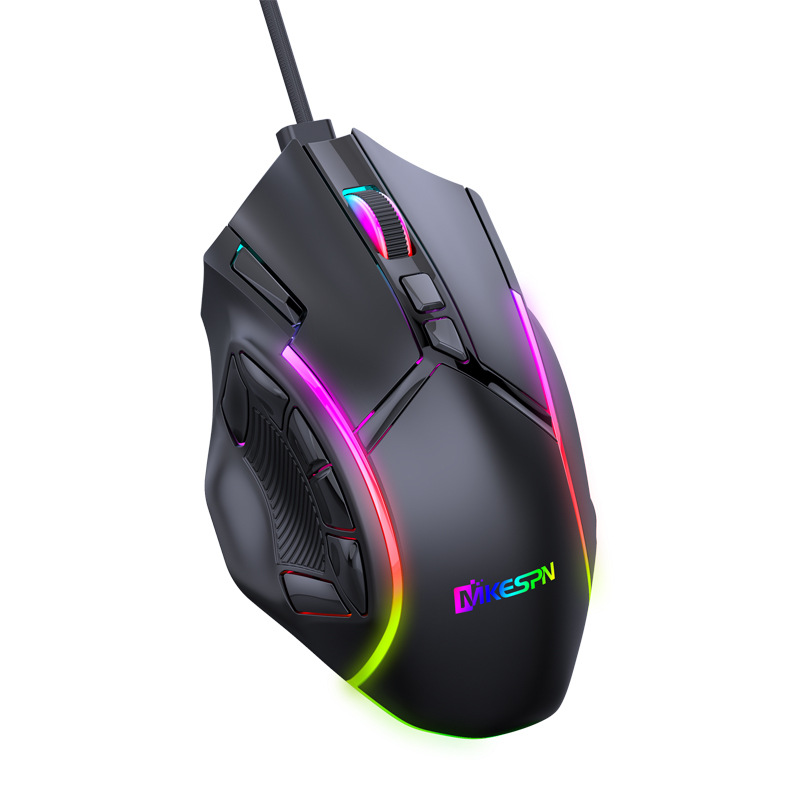
12800DPI Fre Macro RGB Gaming Mouse 12 Programmable Keys Game Mouse RGB Light Max To 6 Levels For Pc Mac Gun PUBG Laptop
RON157.70RON226.95
Color : Black

Ships From : China

Quantity :

Report
Include copyright infringementFree Standard Shipping. See details
Estimated between Fri, Aug 7 and Thu, Aug 13
You can return the product within 30 days of receipt. See details
Shop with confidence

Money Back Guarantee
Get the item you ordered or your money back. Learn more
About this item
Sourced from LAUTIE Store
Seller assumes all responsibility for this listing.Item number: 16964408
Item specifics
Origin
CN
Features
Matte, Rgb
Axis
Other
Numeric Keypad
No
Connection
Wired
Size
<100Mm
Certification
CE
Brand
vbpbsql
Item description from the seller
Download Software:
https://1drv.ms/u/s!AhwtxzxsvtdSbb_SaLW16yCSxzo
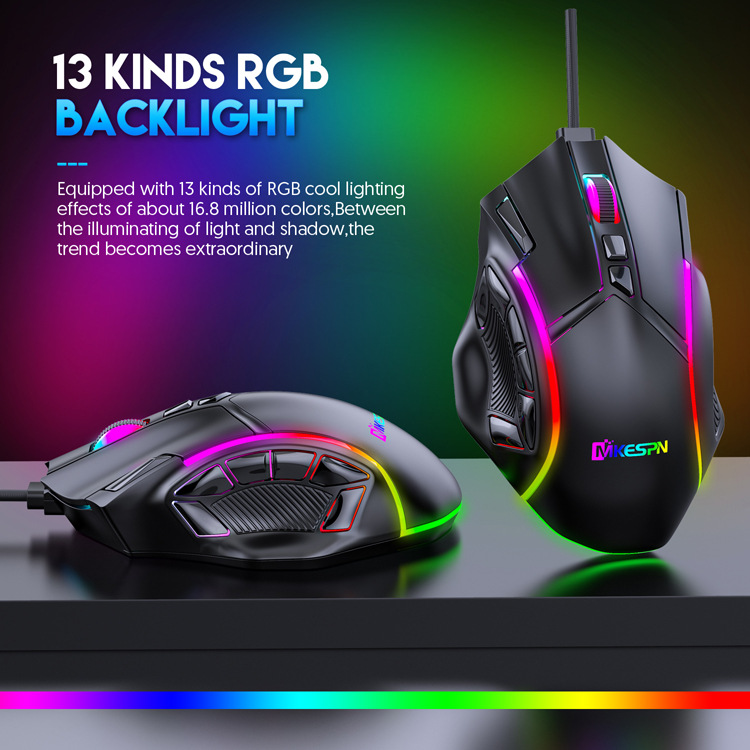
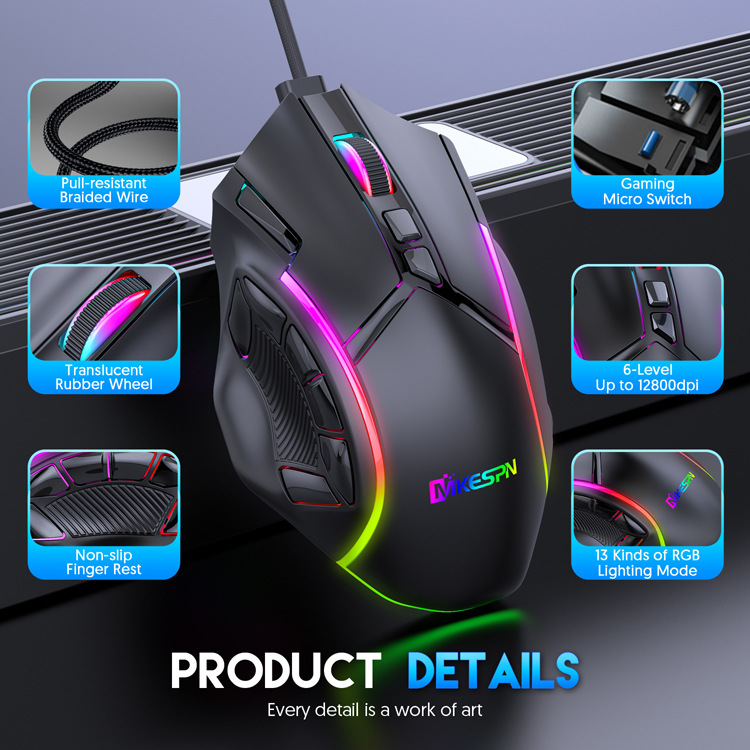
13 kinds RGB backlight
Equipped with 13 knids of RGB cool lighting effects of about 16.8 million colors. Between the illuminating of light
and shadow, the trend becomes extraordinary.
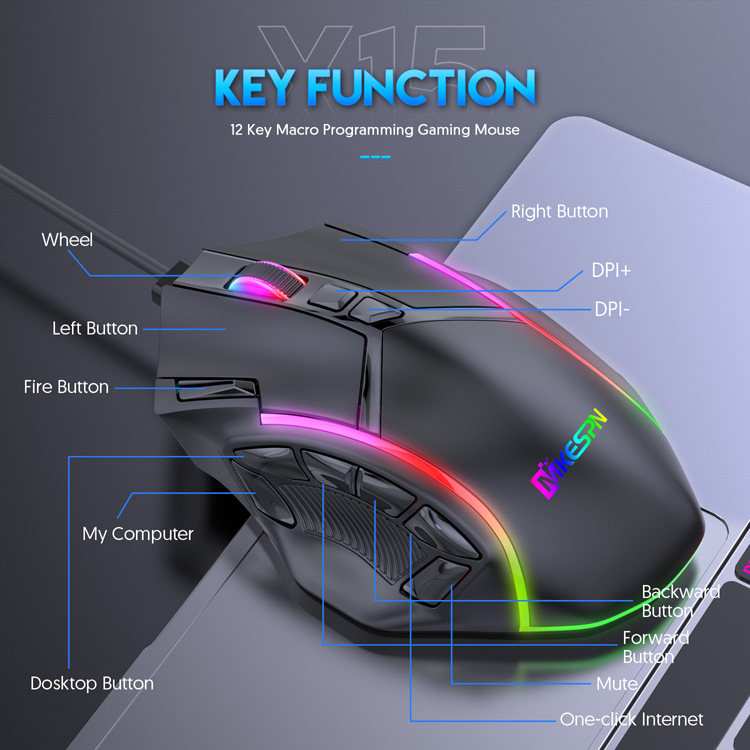
Professional Gaming Driven
Multiple macro programming keys, individual setting functions according to personal habits. Lighting the report rate and
adjusting the DPI value as you .
Download Link: https://1drv.ms/u/s!AhwtxzxsvtdSbb_SaLW16yCSxzo
SKIN-LIKE FEEL COMFORTABLE
Ergonomic design, the streamline curve fits the players fingers better, Skin-like feel, comfortable grip, quicker operation.
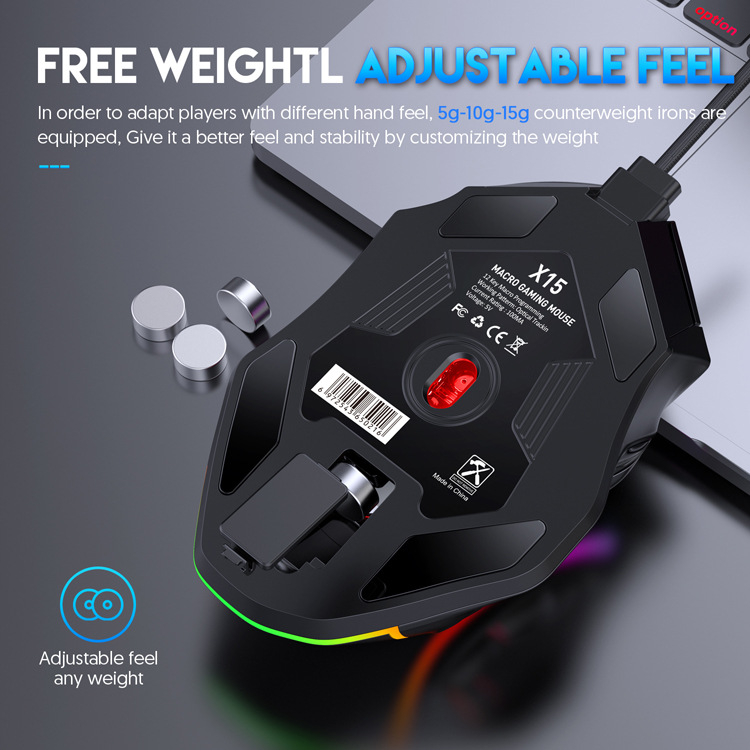
FREE WEIGHT ADJUST ABLE FEEL
In order to adapt players with different hand feel, 5g-10g-15g counterweight irons are equipped. Give it a better feel
and stability by customizing the weight.
How To Macro
1.Click Macro
2.Build New Group
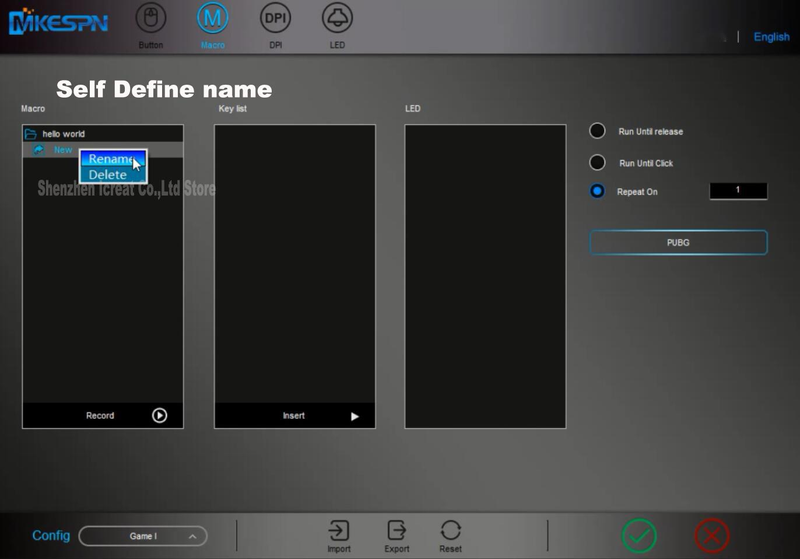
3. Build New macro
3. Define new name
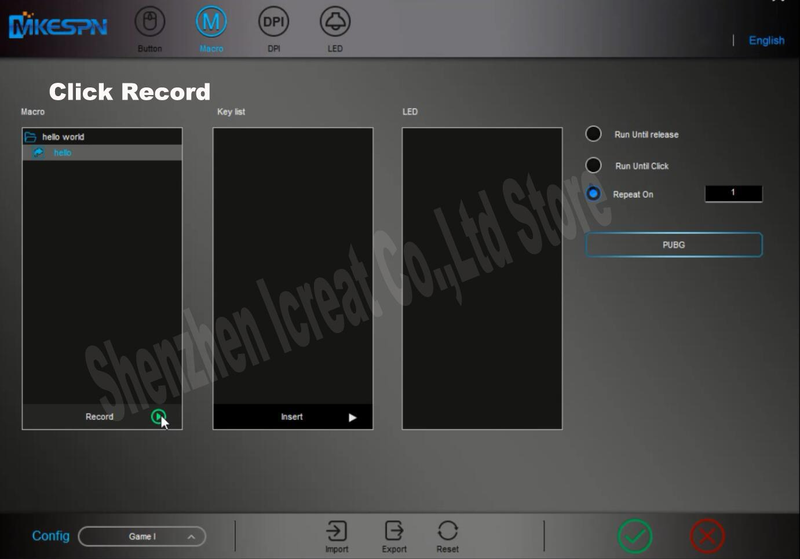
4. Click the record button.
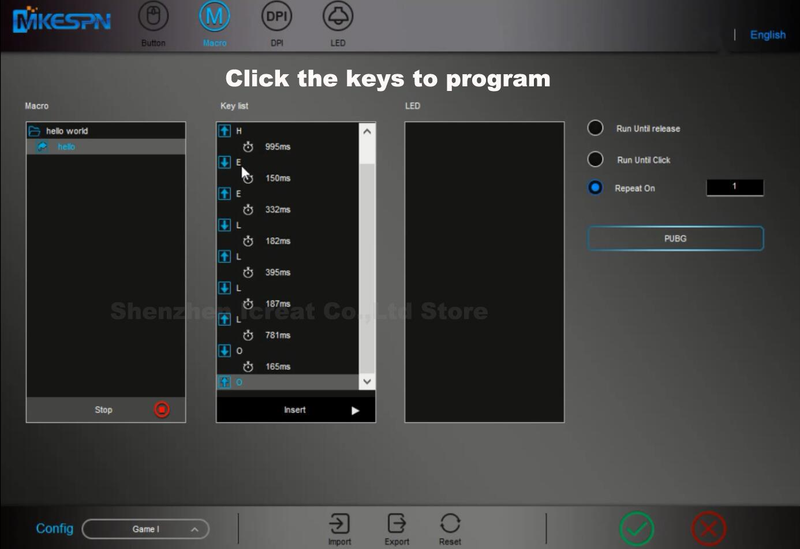
5. Type the keys you want to program. When finishing, please type Stop.
6. THIS IS VERY IMPORTANT.
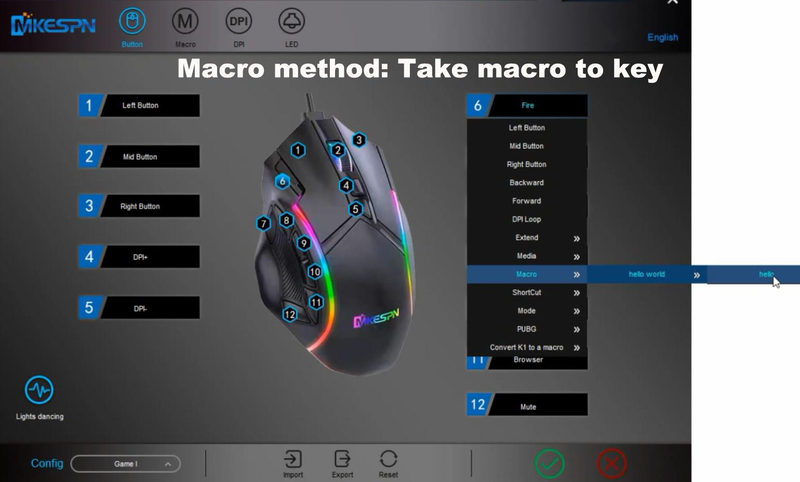
There are 2 ways to upload the macro, Macro and Convert K1.
If you choose Macro, you only need type Programmed key on mouse. It will show the programmed information.
Take an example, We take hello macro to key 6. If you press key 6,it will show hello.
Convert K1 like a switch. If you choose it, you type Programmed key on mouse,liking open switch, and than you press left button. It will show the programmed information. Finally, you type the Programmed key again, liking close switch. You press left button, there is no information out. It likes a switch. When you use, you open it.
Take an example, We take hello macro to key 6. If you press key 6 and than type left button. it will show hello. If you do not press left button, it will show nothing. You press key 6 again, meaning close switch.
7. Click √ to save.
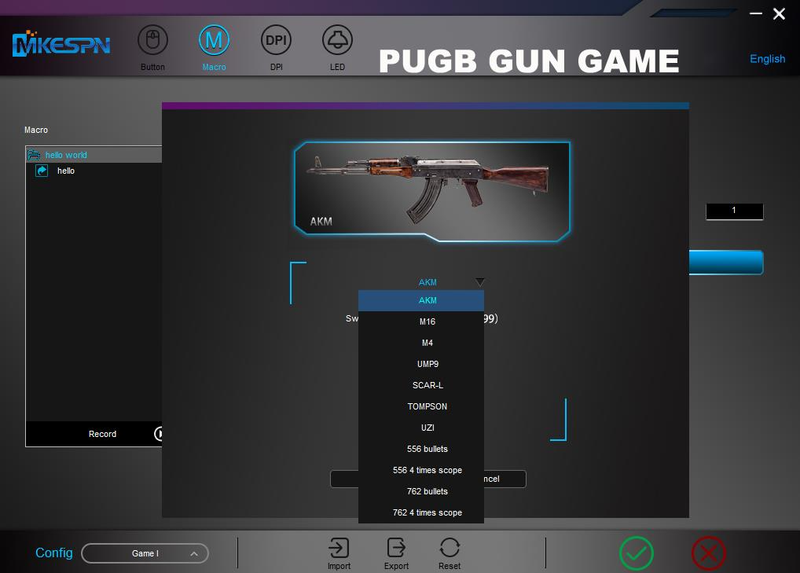
GUN GAME
Free Return details
A. kindly note that the system will generate only one free return label for each order. If you havent applied free return before for the order, you can refer to following steps to request Free Return Service.
Step 1. Confirm that you have received goods;
Step 2. Confirm that you want to return goods;
Step 3. Select return reason according to personal reason ;
Step 4. Confirm refund amount after return;
Step 5. Choose Free Return Service(Only by choosing this option could you get a free return label);
Fill in your valid email address to receive return guide and reminder;
If your item is overweight or oversize,please remember to selelct the overweight and oversize option;
Step 6. Describe the product problem in details
Step 7. Upload detailed pictures or videos to show the product problem
Step 8. Click Submit